
Have you ever wished you could create stunning images without needing to be an artist? What if you could turn simple words or ideas into vivid pictures in seconds?
That’s exactly what AI image generation lets you do—and it’s easier than you think. You’ll discover how to start using AI tools to bring your creative visions to life, even if you have no experience. Keep reading, and you’ll soon be amazed at how powerful and fun this technology can be for you.

Credit: www.freepik.com
What Is Ai Image Generation
AI image generation is a technology that creates pictures using artificial intelligence. It allows computers to make images from descriptions or simple instructions. This process helps people make art, designs, and photos without needing special skills.
AI image generation uses smart computer programs. These programs learn from many pictures. Then, they use what they learned to create new images. This technology is growing fast and becoming easier to use.
What Does Ai Image Generation Mean?
AI image generation means using AI to produce images. The AI studies a large number of photos. It finds patterns and details in those pictures. Then it uses this knowledge to create new images.
How Does Ai Create Images?
The AI starts with random pixels or noise. It changes the pixels step by step. The changes make the image look closer to the requested picture. The AI repeats this until the image looks right.
Types Of Ai Image Generation
There are different types of AI models for image generation. Some use text to create images. Others generate pictures from sketches or ideas. Each type helps in a unique way.
Why Use Ai For Image Creation?
AI makes creating images faster and easier. It helps people who cannot draw well. It also gives new ideas and styles. This opens more chances for creativity.
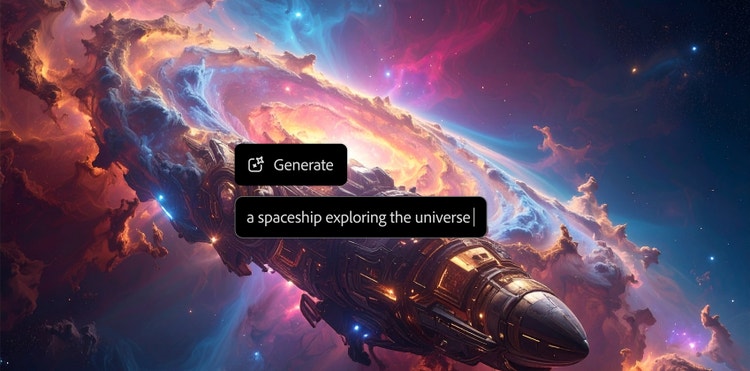
Credit: blog.adobe.com
Popular Ai Tools For Image Creation
AI image generation is growing fast. Many tools help beginners create art and images easily. These tools vary in features and prices. Choosing the right one depends on your needs and budget.
Popular AI tools offer different styles and controls. Some focus on simplicity, others on advanced settings. Exploring these options helps you find a tool that fits your skills and goals.
Free Vs Paid Options
Free AI image tools let you try basic features without cost. They work well for simple projects or learning. Limits may include fewer styles or watermarked images.
Paid tools provide more options and higher quality. They often include faster processing and more image resolutions. A monthly or yearly fee usually applies. Paid versions suit users who want professional results.
User-friendly Interfaces
Many AI tools have simple interfaces. Clear buttons and easy menus help beginners start fast. Drag-and-drop features make image creation smooth.
Some tools offer guided steps or templates. These help users understand how to create images. A clean layout with few distractions improves focus and creativity.
Basic Techniques To Get Started
Starting with AI image generation is exciting and simple. You need to learn a few basic techniques first. These techniques help you create better images and understand how the AI works. This section covers two main ideas: how to choose the right prompts and how to adjust the settings.
Choosing The Right Prompts
Prompts are the words or phrases you give to the AI. They tell the AI what image to create. Use clear and simple words. Short sentences work best. Be specific about the subject, style, or colors you want. For example, "a blue cat sitting on a chair" is better than just "cat."
Try to avoid vague words or long sentences. The AI might get confused. Use adjectives like "bright," "dark," or "happy" to guide the mood of the image. Test different prompts to see what works. Keep notes on which prompts give you the best results.
Adjusting Parameters
Parameters control how the AI creates images. Common parameters include image size, style, and creativity level. Start with default settings to see the basic output. Then, change one parameter at a time to learn its effect.
Higher creativity can give more unique images but may lose detail. Lower creativity keeps images simple and clear. Adjust the size to fit where you want to use the image. Bigger images have more detail but take longer to make. Small images are faster but less detailed.
Creative Ideas For Ai Art
Creative ideas can make AI art exciting and unique. Experimenting with different themes and techniques helps you discover your style. AI tools offer many ways to express imagination and create stunning visuals. You can try simple methods that bring surprising results.
Explore ideas that mix different art forms or focus on unusual shapes. These approaches make your AI art stand out. This section explains two fun ideas to start your AI art journey.
Combining Styles
Mixing styles lets you create fresh and unexpected images. Blend classic painting styles with modern digital art. For example, combine impressionism with futuristic designs. This contrast gives your art a new look.
Try merging styles from different cultures or time periods. This adds depth and interest to your work. AI tools can help mix these styles smoothly. Experiment with colors, shapes, and textures for varied effects.
Exploring Abstract Concepts
Abstract art focuses on shapes, colors, and patterns. It does not show real objects. Use AI to create abstract images that express feelings or ideas. This frees you from realistic limits.
Play with geometric forms, random patterns, or soft gradients. Let the AI surprise you with new combinations. Abstract art is perfect for beginners who want to explore creativity without rules.
Common Challenges And Fixes
AI image generation offers exciting possibilities for beginners. Yet, challenges often arise that can affect the results. Understanding these common problems helps users create better images. Simple fixes can improve the output and make the process smoother.
Handling Unwanted Artifacts
Artifacts are strange shapes or colors in the image. They can look like noise, strange lines, or patches. These issues occur due to model limitations or input errors.
One fix is to clean the input prompt. Use clear and simple words to guide the AI. Avoid vague or conflicting descriptions that confuse the model.
Adjusting the model’s settings can reduce artifacts too. Lowering the noise level or increasing the sampling steps helps. Some platforms offer filters to remove minor flaws after generation.
Improving Output Quality
Low-quality images lack detail and sharpness. They may appear blurry or pixelated. This problem often comes from low resolution settings.
Raising the resolution or output size enhances clarity. Using higher-quality models also improves results. These models have been trained on more data and produce finer details.
Experimenting with different styles and parameters can boost quality. Try changing the seed number or adjusting color balance. These small tweaks can create more appealing images.
Ethical Considerations In Ai Art
AI art raises important ethical questions. It challenges traditional ideas about creativity and ownership. Understanding these concerns helps beginners use AI tools responsibly. Ethical use protects artists and respects original work.
Copyright Issues
AI can create images based on existing art. This raises questions about who owns the new images. Some AI models train on copyrighted works without permission. Using such AI art may lead to legal problems. Always check the source of data used by AI tools. Avoid sharing or selling AI art that copies protected work.
Responsible Use
Using AI art responsibly means respecting others’ rights. Avoid creating images that harm or offend people. AI should not be used to spread false or harmful content. Credit original artists when possible. Be honest about which parts of the work are AI-generated. Responsible use builds trust and supports a fair creative community.
Future Trends In Ai Image Generation
AI image generation is growing fast. New technology changes how we create pictures. This field will keep evolving and offering fresh tools. Everyone from artists to businesses will benefit.
Let’s explore some future trends in AI image generation. These trends will shape how images are made and used.
Advances In Realism And Detail
AI will create images with more detail and realism. Pictures will look closer to real photos. This helps in design, advertising, and storytelling.
Customization And Personalization
Users will control image styles and features more easily. AI will adapt to personal tastes and needs. This makes image creation faster and more fun.
Integration With Other Technologies
AI image tools will work with virtual reality and augmented reality. This blend will create new experiences for users. It will also open fresh creative possibilities.
Improved Accessibility For Beginners
Simple tools will help beginners create images without skill. AI will guide users step-by-step. This will make art and design more open to everyone.

Credit: www.youtube.com
Frequently Asked Questions
What Is Ai Image Generation And How Does It Work?
AI image generation uses algorithms to create images from text or data. It analyzes patterns and generates visuals matching input prompts. This technology enables quick, creative image creation without manual drawing or photography skills.
Which Tools Are Best For Beginners In Ai Image Generation?
Popular beginner-friendly tools include DALL·E, Midjourney, and Stable Diffusion. These platforms offer easy interfaces and preset models. They help users generate high-quality images using simple text prompts or minimal customization.
Can Ai Image Generation Be Used For Commercial Purposes?
Yes, many AI-generated images are allowed for commercial use. However, usage rights depend on the tool’s license and terms. Always review the specific platform’s policies before using images in commercial projects.
How To Improve Ai-generated Image Quality Effectively?
Use detailed, clear prompts to guide the AI. Experiment with different keywords and styles. Adjust settings like resolution or iterations if available. Consistent practice helps produce better, more accurate images over time.
Conclusion
AI image generation opens new doors for creative expression. Beginners can start with simple tools and practice often. Each attempt helps build skills and confidence. Experiment with ideas and enjoy the process. Remember, patience is key to improvement. Keep exploring different styles and settings.
Soon, creating unique images will feel natural. AI can support your creativity, not replace it. Start small, stay curious, and have fun learning.